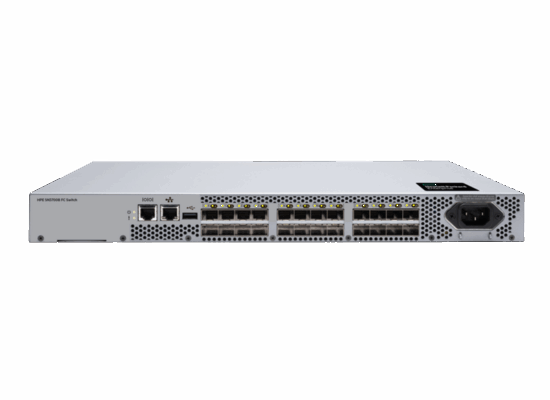
gen8 서버 이후에 HPE 서버에 내장되는 IP(Intelligent Provisioning) 사용을 권장
OS와 관련없이 Disk Erase 작업을 수행 할 수 있음.
“HPE Smart Storage Administrator (SSA)”를 통해 더 세부옵션이 있는 삭제가 가능.
**https://support.hpe.com/hpesc/public/docDisplay?docId=a00112754en_us&page=GUID-BBB432A2-913E-4898-841F-79A5DD849D20.html
“One-button secure erase”, “System Erase and Reset” 두 가지 삭제 방법 가능.
One-button secure erase : NIST SP 800-88 Revision 1 수준의 보안삭제 지원.(SPP version 2019.03.0 or later)
System Erase and Reset : DoD 5220.22-M 수준의 삭제 지원
내장된 IP로는 Erase and Reset 만 지원.
1. Reboot the server and press F10 during boot to access Intelligent Provisioning.
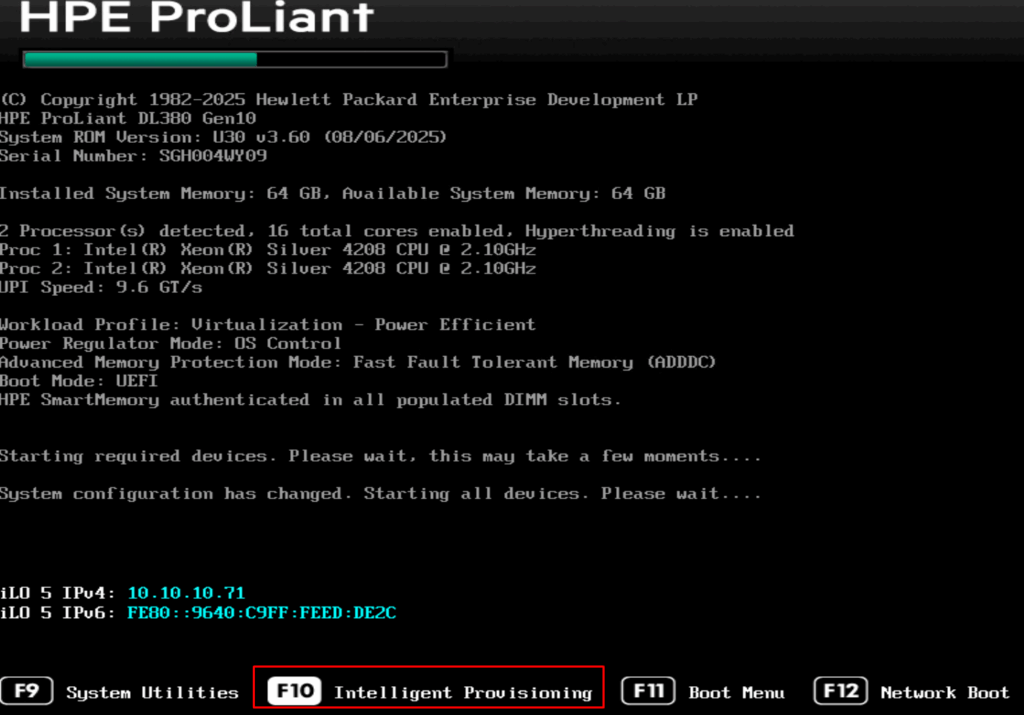
-> 이후에 한번 더 “Intelligent Provisioning” 선택
2. Select Perform Maintenance 선
3. System Erase and Reset 선택
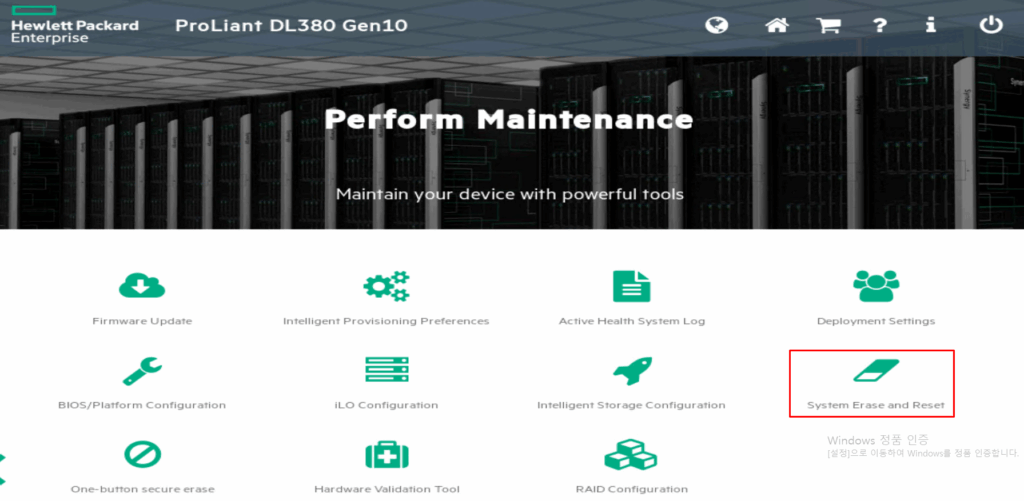
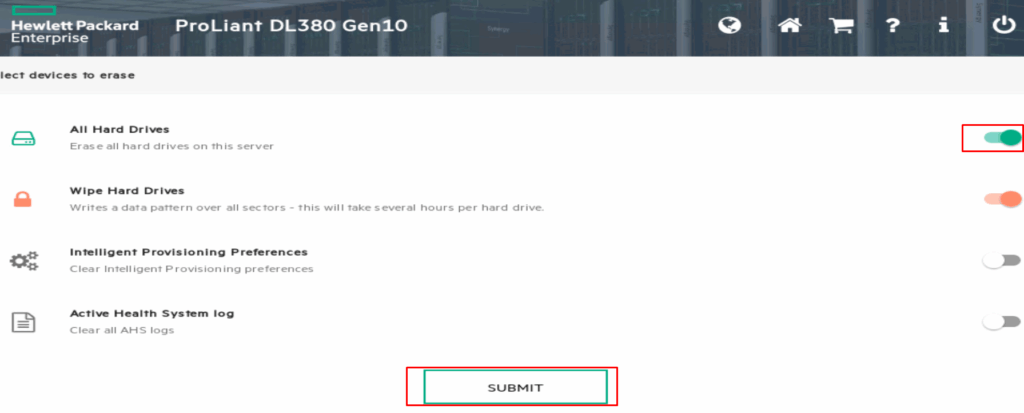
-> all Hard Disk 선택하면 “Wipe Hard Drive” 메뉴가 나옵니다.
선택하면 전체 덮어쓰기 시행하여 용량에 따라 몇 시간? 걸리게 됩니다.
선택 안 하면 전체 덮어쓰기는 하지 않고 기존 데이터에 일반적인 방법으로 접근 못 하게
주요데이터(RAID/Head Block등) 삭제합니다.
이 경우에는 수분내로 종료됩니다.
작업 종료후 리붓하면 됩니다. (“Wipe Hard Drive” 선택 안 된 경우 예시)