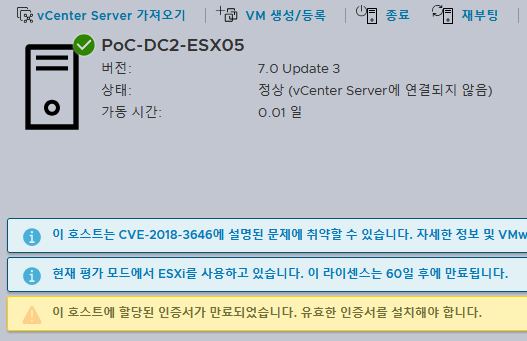
**vSphere ESXi 7 버전 최신버전 패치 중에서 ISO로 배포되지 않고 “VMware-ESXi-7.0U3w-24784741-depot.zip” 형태로 배포되는 버전이 있음, and 각 서버벤더의 Custom ISO도 마찬가지로 최신 패치로 배포되지 않음.
설치나 upgrade를 위해 ISO 패키징이 필요함. 패키징 방법에 대해 설명.
1. Powershell에서 VMware.PowerCLI 설치
> Install-Module -Name VMware.PowerCLI -Scope CurrentUser
;; 설치 중 신뢰할 수 없는 리포지토리 경고가 나오면 Y를 입력하여 계속 진행

2. VMware.Powercli 의 imagebuilder 모듈 로딩
> Import-Module VMware.ImageBuilder

3. Depot ZIP 파일을 지정하여 로딩
> Add-EsxSoftwareDepot -DepotUrl “C:\Users\ants\Downloads\VMware-ESXi-7.0U3w-24784741-depot.zip”
;; python 에러 발생시 python 지정버전을 설치 필요.

> pip install six lxml psutil pyopenssl
;; 설치 및 path 확인. 실행 안될시 path 설정 필요. (Set-PowerCLIConfiguration -PythonPath “C:\Path\To\python.exe”)

;; 경로는 설치 메세지 중에 하기와 같이 표시

-> Path 지정/python관련 모두 설치후에도 문제시, Powershell을 관리자 권한으로 실행 필요.
> Add-EsxSoftwareDepot -DepotUrl “C:\Users\ants\Downloads\VMware-ESXi-7.0U3w-24784741-depot.zip”

4. 생성된 이미지 프로파일 확인
> Get-EsxImageProfile

<Image Re-package에 필요한 작업>
5. 기존 profile에서 새로 만들 이미지의 프로파일 복제, VIB파일 별도 추가를 통해 Custom 가능.
;; 각 벤더에서 제공하는 add-on Driver을 추가하여 최신 패치버전의 vender custom 이미지를 생성.
> New-EsxImageProfile -CloneProfile “ESXi-7.0U3w-24784741-standard” -Name “Custom-ESXi-7.0U3w” -Vendor “MyCompany”
;; 기존의 프로파일을 Clone하여 새로운 프로파일을 생성
> Add-EsxSoftwarePackage -ImageProfile “Custom-ESXi-7.0U3w” -SoftwarePackage “net-community”
;; package 리스트 확인 “Get-EsxSoftwarePackage”
;; package 추가 “Add-EsxSoftwareDepot -DepotUrl “C:\Users\ants\Downloads\VMware-Tools-12.5.4-core-offline-depot-ESXi-all-24964629.zip””
6. ISO 파일로 내보내기
;; 커스텀된 profile을 ISO 이미지로 export, “-NoSignatureCheck” 옵션을 통해 sign 체크 생략.
(VMware에 연결되야 sign확인이 되는 것으로 추측)
> Export-EsxImageProfile -ImageProfile “Custom-ESXi-7.0U3w-24784741” -ExportToIso -FilePath “C:\Users\ants\Downloads\ESXi-7.0U3w-24784741-standard.iso” -NoSignatureCheck

EX> HPE Addon depot를 추가하여 최신패치 설치 ISO 생성 예

;; OEM Addons에서 HPE 또는 각 벤더의 addon vib의 depot 다운로드 가능.
다운로드 받은 depot를 “Add-EsxSoftwareDepot” 명령으로 추가
> Add-EsxSoftwareDepot -DepotUrl “C:\Users\ants\Downloads\HPE-703.0.0.11.9.0.5-Feb2025-Addon-depot.zip”
“Get-EsxSoftwarePackage” 명령어로 추가된 vib의 name를 확인 가능.
(주로 Vender이 VMW/VMware가 아닌 것들.)
“Add-EsxSoftwarePackage” 명령을 이용해 추가된 vib를 최신버전 vmware esxi depot profile를
복제한 커스텀 이미지에 추가. (Profile clone 생략, 5 참조)
Add-EsxSoftwarePackage -ImageProfile “Custom-ESXi-7.0U3w-24784741” -SoftwarePackage sut
Add-EsxSoftwarePackage -ImageProfile “Custom-ESXi-7.0U3w-24784741” -SoftwarePackage iavmd
Add-EsxSoftwarePackage -ImageProfile “Custom-ESXi-7.0U3w-24784741” -SoftwarePackage qcnic
Add-EsxSoftwarePackage -ImageProfile “Custom-ESXi-7.0U3w-24784741” -SoftwarePackage ssacli2
Add-EsxSoftwarePackage -ImageProfile “Custom-ESXi-7.0U3w-24784741” -SoftwarePackage vmware-storcli64
Add-EsxSoftwarePackage -ImageProfile “Custom-ESXi-7.0U3w-24784741” -SoftwarePackage lsi-mr3
Add-EsxSoftwarePackage -ImageProfile “Custom-ESXi-7.0U3w-24784741” -SoftwarePackage mft-oem
Add-EsxSoftwarePackage -ImageProfile “Custom-ESXi-7.0U3w-24784741” -SoftwarePackage nmlx4-core
Add-EsxSoftwarePackage -ImageProfile “Custom-ESXi-7.0U3w-24784741” -SoftwarePackage qfle3f
Add-EsxSoftwarePackage -ImageProfile “Custom-ESXi-7.0U3w-24784741” -SoftwarePackage amsd
Add-EsxSoftwarePackage -ImageProfile “Custom-ESXi-7.0U3w-24784741” -SoftwarePackage smartpqi
Add-EsxSoftwarePackage -ImageProfile “Custom-ESXi-7.0U3w-24784741” -SoftwarePackage igbn
Add-EsxSoftwarePackage -ImageProfile “Custom-ESXi-7.0U3w-24784741” -SoftwarePackage nmlx4-en
Add-EsxSoftwarePackage -ImageProfile “Custom-ESXi-7.0U3w-24784741” -SoftwarePackage ilorest
Add-EsxSoftwarePackage -ImageProfile “Custom-ESXi-7.0U3w-24784741” -SoftwarePackage amsdv
Add-EsxSoftwarePackage -ImageProfile “Custom-ESXi-7.0U3w-24784741” -SoftwarePackage hpe-upgrade
Add-EsxSoftwarePackage -ImageProfile “Custom-ESXi-7.0U3w-24784741” -SoftwarePackage nmst
Add-EsxSoftwarePackage -ImageProfile “Custom-ESXi-7.0U3w-24784741” -SoftwarePackage fc-enablement
Add-EsxSoftwarePackage -ImageProfile “Custom-ESXi-7.0U3w-24784741” -SoftwarePackage qfle3
Add-EsxSoftwarePackage -ImageProfile “Custom-ESXi-7.0U3w-24784741” -SoftwarePackage qfle3i
Add-EsxSoftwarePackage -ImageProfile “Custom-ESXi-7.0U3w-24784741” -SoftwarePackage ilo
Add-EsxSoftwarePackage -ImageProfile “Custom-ESXi-7.0U3w-24784741” -SoftwarePackage lpfc
Add-EsxSoftwarePackage -ImageProfile “Custom-ESXi-7.0U3w-24784741” -SoftwarePackage bnxtroce
Add-EsxSoftwarePackage -ImageProfile “Custom-ESXi-7.0U3w-24784741” -SoftwarePackage vnic-enablement
Add-EsxSoftwarePackage -ImageProfile “Custom-ESXi-7.0U3w-24784741” -SoftwarePackage ionic-en
Add-EsxSoftwarePackage -ImageProfile “Custom-ESXi-7.0U3w-24784741” -SoftwarePackage i40en
Add-EsxSoftwarePackage -ImageProfile “Custom-ESXi-7.0U3w-24784741” -SoftwarePackage qlnativefc
Add-EsxSoftwarePackage -ImageProfile “Custom-ESXi-7.0U3w-24784741” -SoftwarePackage ixgben
Add-EsxSoftwarePackage -ImageProfile “Custom-ESXi-7.0U3w-24784741” -SoftwarePackage nmlx4-rdma
Add-EsxSoftwarePackage -ImageProfile “Custom-ESXi-7.0U3w-24784741” -SoftwarePackage bnxtnet
Add-EsxSoftwarePackage -ImageProfile “Custom-ESXi-7.0U3w-24784741” -SoftwarePackage icen
Add-EsxSoftwarePackage -ImageProfile “Custom-ESXi-7.0U3w-24784741” -SoftwarePackage mft
Add-EsxSoftwarePackage -ImageProfile “Custom-ESXi-7.0U3w-24784741” -SoftwarePackage nmlx5-core,nmlx5-rdma
Add-EsxSoftwarePackage -ImageProfile “Custom-ESXi-7.0U3w-24784741” -SoftwarePackage qedentv,qedi,qedrntv,qedf
;; **의존성이 있거나 기존 이미지 대체하는 것들은 ,를 이용하여 같이 로드하는 것이 필요
필요한 Package가 추가된 Profile을 이용해 ISO로 생성.
> Export-EsxImageProfile -ImageProfile “Custom-ESXi-7.0U3w-24784741” -ExportToIso -FilePath “C:\Users\ants\Downloads\ESXi-7.0U3w-24784741-HPEOEM-custom.iso” -NoSignatureCheck
** VIB zip로 별도 추가시 여러버전이 있을 수 있음.
Get-EsxSoftwarePackage | Where-Object { $_.Name -eq “tools-light” }

여러 버전이 있는 경우 버전을 지정하여 package 추가
> > Add-EsxSoftwarePackage -ImageProfile “Custom-ESXi-7.0U3w-24784741” -SoftwarePackage “tools-light 12.5.4.24964629-24964811”
!! “Get-EsxImageProfile -Name “Custom-ESXi-7.0U3w-24784741″ | Select-Object -ExpandProperty VIBList” 명령어로 profile 내에 vib 목록 확인 가능.
Get-EsxImageProfile -Name “Custom-ESXi-7.0U3w-24784741” | Select-Object -ExpandProperty VIBList | Where-Object { $_.Name -eq “tools-light” }